
B1GPlayer–OfficialIPTVAppwithB1GIPTVSubscription
Enjoy live television, sports, movies and television series through B1G Player, the official application supplied with every active B1G IPTV subscription.
The app is designed for compatible Android Smart TVs, Android TV boxes, Amazon Firestick, Fire TV, Android smartphones and tablets. Once your account has been activated, enter the supplied username, password and server information to access the available entertainment through one organised interface.
Every active plan includes secure account access, the official app, fast activation and support for customers across the United Kingdom.
Choose a subscription that suits your viewing habits, request a free trial where available or follow the installation guide to set up the app on your preferred device.
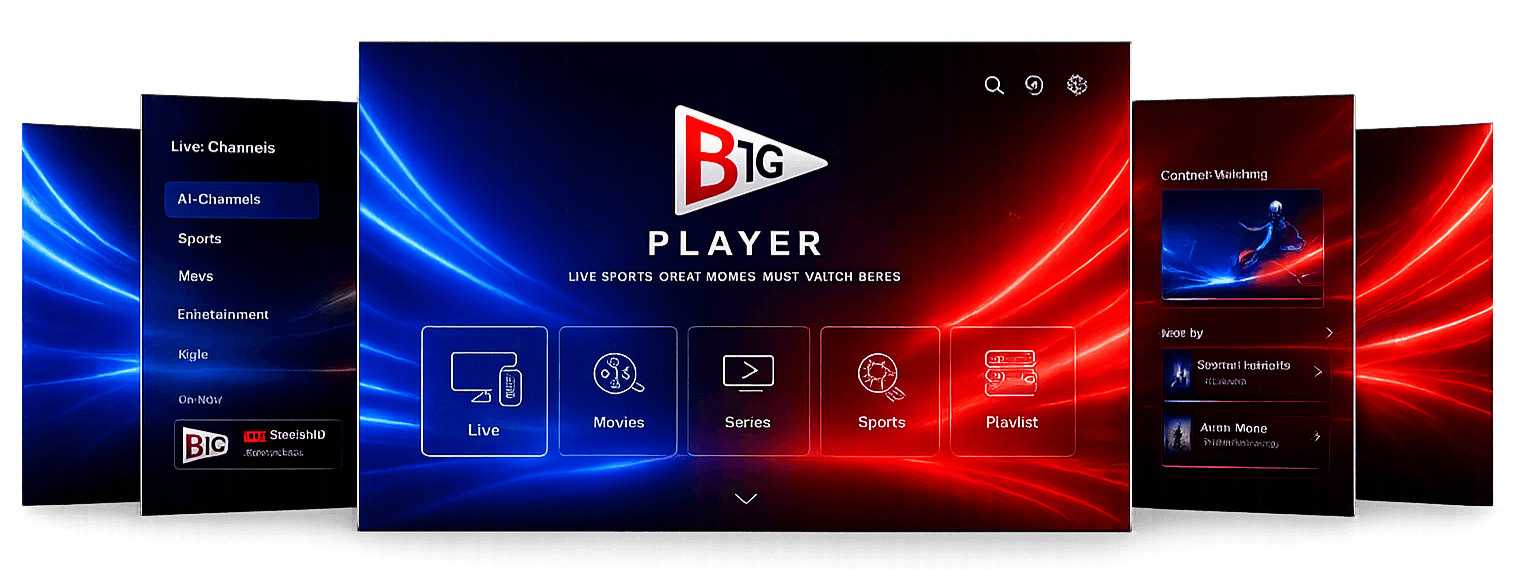
B1GPlayer–OfficialIPTVAppwithB1GIPTVSubscription
Enjoy live television, sports, movies and television series through B1G Player, the official application supplied with every active B1G IPTV subscription.
The app is designed for compatible Android Smart TVs, Android TV boxes, Amazon Firestick, Fire TV, Android smartphones and tablets. Once your account has been activated, enter the supplied username, password and server information to access the available entertainment through one organised interface.
Every active plan includes secure account access, the official app, fast activation and support for customers across the United Kingdom.
Choose a subscription that suits your viewing habits, request a free trial where available or follow the installation guide to set up the app on your preferred device.
What Is B1G Player?
B1G Player is the official IPTV application developed for customers with an active B1G IPTV subscription.
It provides a straightforward way to sign in using the private username, password and server URL supplied after activation. Once the account has loaded, the application organises available live television, sports, movies, television series and programme-guide information into clear sections.
The player is optimised for:
Features may include:
- •Secure account login
- •Fast category loading
- •Live television navigation
- •Movie and television-series sections
- •Electronic Programme Guide
- •Catch-Up where available
- •Search
- •Favourites
- •HD, Full HD and 4K streams where supported
- •Regular performance updates
The app is designed to make everyday navigation simple. Viewers can move between live channels, films, series and other available categories without repeatedly entering their account information or switching between several separate applications.
Why UK Viewers Choose B1G IPTV
People comparing IPTV services usually want more than a large content figure. They also need clear account access, straightforward installation, popular-device support and help when a setup problem occurs.
B1G IPTV is designed for viewers throughout England, Scotland, Wales and Northern Ireland.
An active subscription may provide access to:
35,000+
Live TV Channels
50,000+
Movies
10,000+
TV Series
- UK & International Channels
- Sports Coverage
- News
- Children's Programming
- Documentaries
- International Entertainment
- Electronic Programme Guide
- Catch-Up TV where available
- HD, Full HD & 4K Streams
The exact selection may change as channels, programmes and on-demand libraries are updated. Individual events, competitions or channels should only be treated as included when confirmed within the current package information.
Instant Account Activation
After the order has been confirmed, customers receive the information required to sign in. This normally includes:
- Private username
- Private password
- Server URL
- App installation instructions
- Alternative-player details where required
Official App Access
Every active B1G IPTV subscription includes access to the B1G Player app for supported Android and Fire TV devices. The app provides a clean, dedicated interface that keeps your account information and available content in one place — no switching between external players.
Live Television, Sports, Movies and Series
B1G IPTV brings several entertainment categories together through the official app or another supported application.
Live Television
Browse available channels across categories such as:
- UK entertainment
- News
- Lifestyle
- Children’s programming
- Documentaries
- International television
- Regional channels
The categories displayed depend on the active package and current channel list.
Live Sports
Available sports coverage may include channels showing:
- Football
- Cricket
- Rugby
- Formula 1 and motorsport
- Boxing
- UFC and combat sports
- Other international sporting events
Schedules, broadcasting rights and event availability can change. Check the current package or contact support when access to a particular event is important.
Movies
The available movie library may include:
- Action
- Drama
- Comedy
- Thriller
- Documentary
- Family
- British cinema
- European cinema
- Asian cinema
- International films
Movies are arranged into categories to make browsing easier.
News and Documentaries
Browse news and documentary content covering subjects such as:
- Current affairs
- History
- Nature
- Science
- Technology
- Travel
- Culture
Includes international and local current affairs, lifestyle, history, nature, science and travel networks.
Television Series
Available series are organised into clear sections.
The library may contain complete seasons as well as recently added programmes, depending on current availability.
Family Entertainment
Family and children’s categories may be available within the subscription.
Parents and guardians should check programme suitability and use any parental-control options provided by the selected application.
Official B1G IPTV Subscription Plans
Choose a plan based on how long you want access and the option that best suits your budget.
Every current plan includes access to the B1G Player app on supported devices, secure login information and customer assistance.
1 Month
A flexible option for customers who prefer monthly access.
- 1 month of account access
- 35,000+ live television channels
- 50,000+ movies
- 10,000+ television series
- Sports and entertainment categories
- HD, Full HD and 4K where supported
- Electronic Programme Guide
- Catch-Up where available
- Official app access
- Instant activation
- UK customer support
3 Month
Suitable for customers who prefer a shorter commitment.
- 3 months of account access
- 35,000+ live television channels
- 50,000+ movies
- 10,000+ television series
- Sports and entertainment categories
- HD, Full HD and 4K where supported
- Electronic Programme Guide
- Catch-Up where available
- Official app access
- Instant activation
- UK customer support
6 Month
A mid-length option for viewers who want a balance between flexibility and value.
- 6 months of account access
- 35,000+ live television channels
- 50,000+ movies
- 10,000+ television series
- Sports and entertainment categories
- HD, Full HD and 4K where supported
- Electronic Programme Guide
- Catch-Up where available
- Official app access
- Instant activation
- UK customer support
12 Month
A longer-term option for regular viewers. Includes 1 month free.
- 13 months of account access
- 35,000+ live television channels
- 50,000+ movies
- 10,000+ television series
- Sports and entertainment categories
- HD, Full HD and 4K where supported
- Electronic Programme Guide
- Catch-Up where available
- Official app access
- Instant activation
- UK customer support
What Is Included with a B1G IPTV Subscription?
Every subscription includes access to the features and available entertainment listed for the selected package.
Secure Login Details
Customers receive:
- Private username
- Private password
- Server URL
- B1G Player app access
- Setup instructions
- Customer-support information
Keep these details private and do not post them publicly.
Live and On-Demand Content
The subscription may include live television alongside movies, television series and other on-demand categories.
Programme Guide
An Electronic Programme Guide can display available channel schedules and programme information.
Guide accuracy depends on the data supplied for each channel.
Catch-Up Support
Selected channels may support Catch-Up, allowing viewers to access certain programmes after their original broadcast time.
Not every programme or channel includes this feature.
Streaming Quality
Available streams may include:
Actual playback quality depends on:
- Selected channel or title
- Device capability
- Internet connection
- Home network
- App performance
- Available source quality
Higher quality streams require faster connection speeds and capable client hardware.
Compatible Devices
The official B1G Player app is designed for Android and Fire TV platforms.
Officially Supported Devices
These devices support direct installation of the official B1G Player client app.
Alternative Device Support
A B1G IPTV subscription may also be used through compatible players on:
Supported login methods:
- Xtream Codes API
- M3U playlist URL
Compatible applications:
- IBO Player
- SmartOne IPTV
- CR7 Player
- VU IPTV Player
- Other supported players
Third-party application fees are separate from the B1G IPTV subscription.
Download the Official B1G Player App
The current app can be installed on compatible Android and Fire TV devices using the official Downloader route.
Downloader Credentials
Use only the official code or address supplied through the website or support team.
Avoid downloading copies of the app from unknown websites, public comments or unofficial file-sharing services.
After Installation Steps
- 1Open the app.
- 2Enter your username.
- 3Enter your password.
- 4Enter the supplied server URL.
- 5Save the account.
- 6Allow the categories to load.
- 7Begin browsing the available content.
Ensure the correct configuration parameters are entered to allow content compilation to initiate successfully.
Use Your Subscription on More Devices
The official app provides the recommended experience on Android and Firestick, but customers are not limited to those platforms. Where supported, the same account information can be added to a compatible alternative IPTV player.
Alternative Platforms
This may allow access on:
- Samsung television
- LG television
- Windows computer
- Mac
- iPhone
- iPad
- Apple TV
The application interface may differ, but the account normally uses the same username, password and server URL.
Compatibility Checklist
Before paying for a third-party player, check:
- Whether the app supports Xtream Codes
- Whether it supports an M3U playlist
- Whether an activation fee applies
- Whether the app is available in your region
- Whether your television model is compatible
Make sure to verify compatibility on trial accounts where available before finalizing any third-party app purchases.
Start Watching in Four Steps
Step 1 – Choose a Plan
Select a 1-month, 3-month, 6-month or 12-month subscription.
Step 2 – Receive Details
After confirmation, receive your private username, password and server URL.
Step 3 – Install the Player
Use B1G Player on Android or Firestick, or choose a compatible alternative application for another device.
Step 4 – Sign In
Enter the supplied details and allow the available live and on-demand categories to load.
Tips for Better Playback
Streaming performance depends on both the service and the customer’s own equipment.
For better results:
- Use a stable broadband connection.
- Connect televisions and streaming boxes through Ethernet where possible.
- Keep Wi-Fi devices close to the router.
- Avoid large downloads while watching.
- Close unused background applications.
- Restart the player if it becomes unresponsive.
- Restart the router if the network becomes unstable.
- Keep B1G Player updated.
- Select a stream quality suitable for the connection.
Higher-resolution streams require stronger and more stable broadband performance.
Support Center
Frequently Asked Questions
B1G Player is the official IPTV application used with an active B1G IPTV subscription on compatible Android and Fire TV devices.
Yes. Access to the official player is included with each active subscription.
It may include more than 35,000 live channels, 50,000+ movies, 10,000+ television series, sports, EPG, Catch-Up and customer support.
The app supports compatible Android Smart TVs, Android boxes, Firestick, Fire TV, Android phones and tablets.
Yes. Install a compatible third-party player and enter the information supplied after activation.
A trial may be requested before purchasing. Availability may depend on current demand and support capacity.
Selected streams may be available in 4K where supported. Actual quality depends on the source, device and connection.
Most accounts are activated after the order has been confirmed and the required customer information has been received.
Visit the Installation Guide or contact the support team.
Yes. Eligible businesses can apply through the reseller page.